Developer Portal Page-by-Page Guide (11 Pages)
This guide is written for end users. Every section covers one page with a screenshot, purpose, and practical usage details.
How to Use This Guide
- Open the page you need from the table of contents.
- Confirm your role access: Developer partner teams and integration engineers.
- Follow the usage steps and notes on that page section.
Page Walkthroughs
1. Dashboard
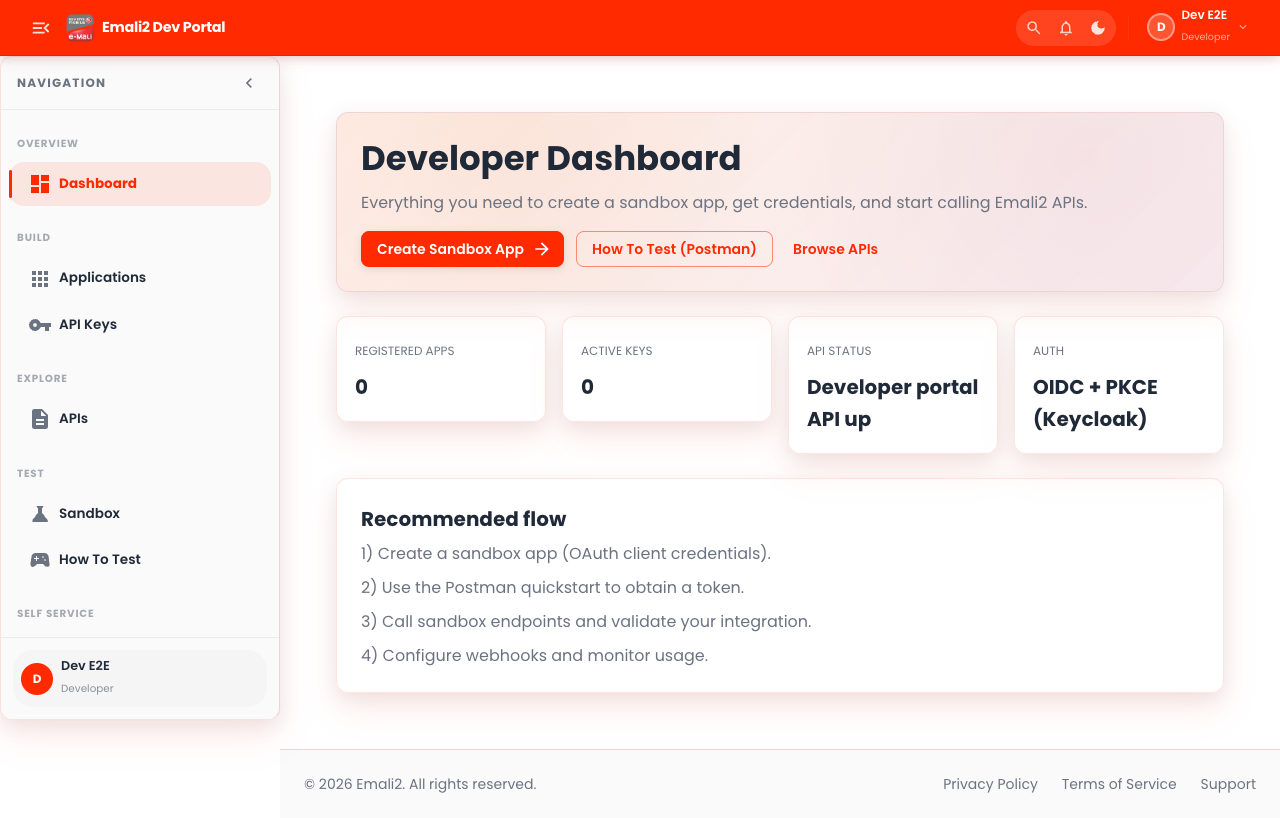
- Page URL:
/app - Who this page is for: Developer partner teams and integration engineers
- What this page is for: Review dashboard KPIs and open core workflows.
- Navigation behavior: Opens directly on
/app.
What You Can Do Here
- Review summary cards, status chips, and alerts at the top of the page.
- Use filters, search fields, and quick actions to locate the right records.
- Use on-page actions to complete your task and verify the resulting state.
Current Behavior Notes
- Validation status: OK
- Observed note: Page loads with expected primary UI components in the test environment.
2. Apps
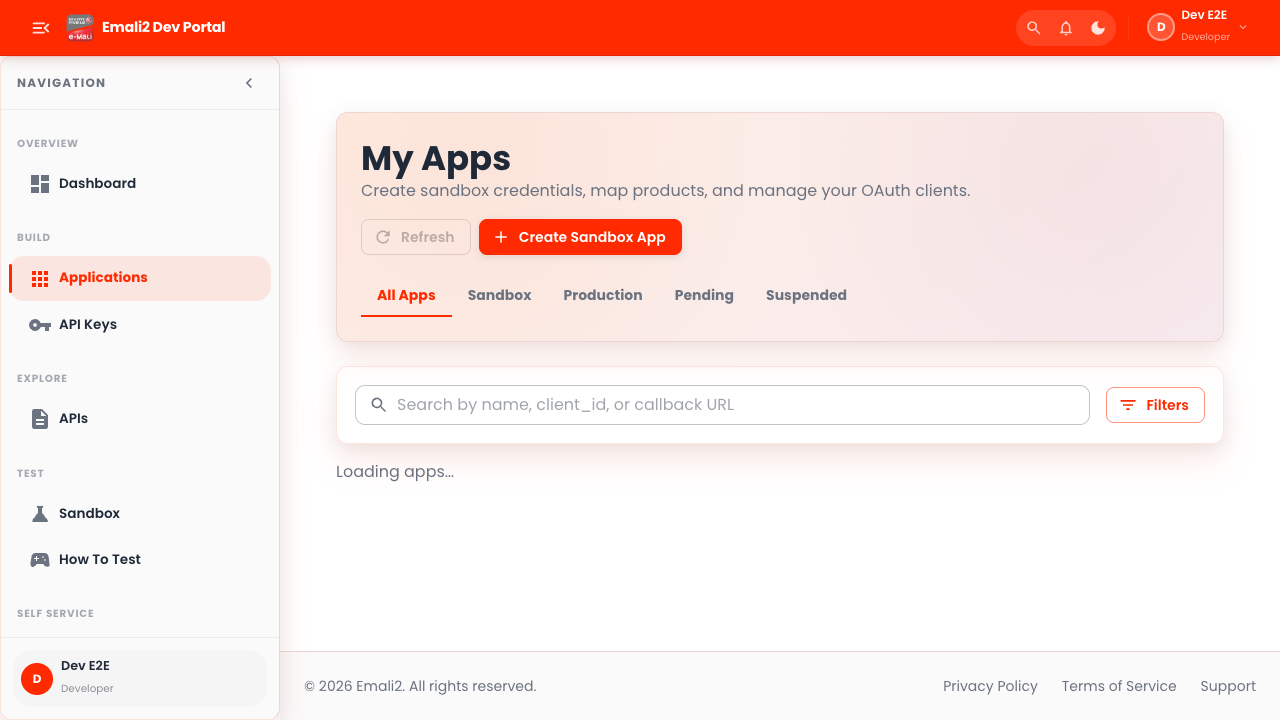
- Page URL:
/app/apps - Who this page is for: Developer partner teams and integration engineers
- What this page is for: Create and manage integration applications.
- Navigation behavior: Opens directly on
/app/apps.
What You Can Do Here
- Review summary cards, status chips, and alerts at the top of the page.
- Use filters, search fields, and quick actions to locate the right records.
- Use on-page actions to complete your task and verify the resulting state.
Current Behavior Notes
- Validation status: OK
- Observed note: Page loads with expected primary UI components in the test environment.
3. Keys
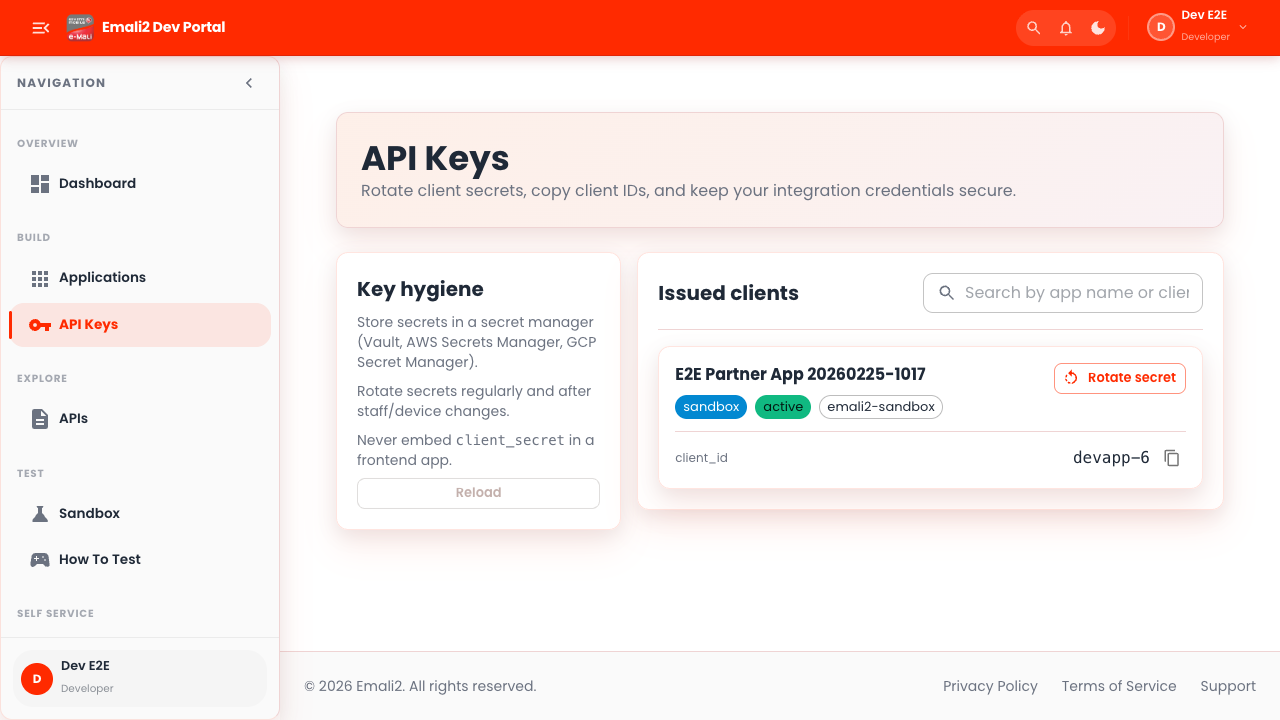
- Page URL:
/app/keys - Who this page is for: Developer partner teams and integration engineers
- What this page is for: Create, rotate, and revoke API keys.
- Navigation behavior: Opens directly on
/app/keys.
What You Can Do Here
- Review summary cards, status chips, and alerts at the top of the page.
- Use filters, search fields, and quick actions to locate the right records.
- Use on-page actions to complete your task and verify the resulting state.
Current Behavior Notes
- Validation status: OK
- Observed note: Page loads with expected primary UI components in the test environment.
4. Products
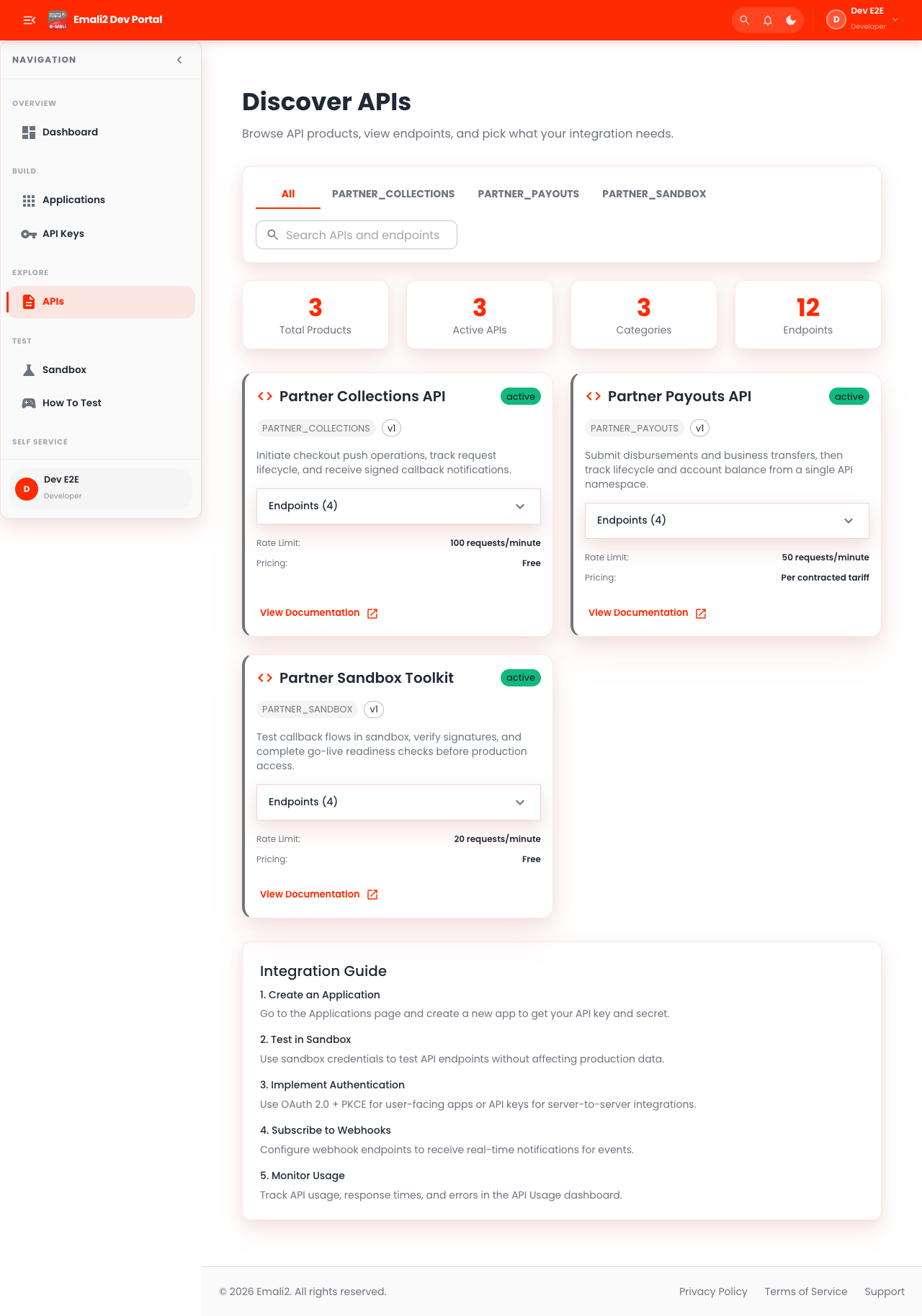
- Page URL:
/app/products - Who this page is for: Developer partner teams and integration engineers
- What this page is for: Review API products and product access.
- Navigation behavior: Opens directly on
/app/products.
What You Can Do Here
- Review summary cards, status chips, and alerts at the top of the page.
- Use filters, search fields, and quick actions to locate the right records.
- Use on-page actions to complete your task and verify the resulting state.
Current Behavior Notes
- Validation status: OK
- Observed note: Page loads with expected primary UI components in the test environment.
5. Sandbox
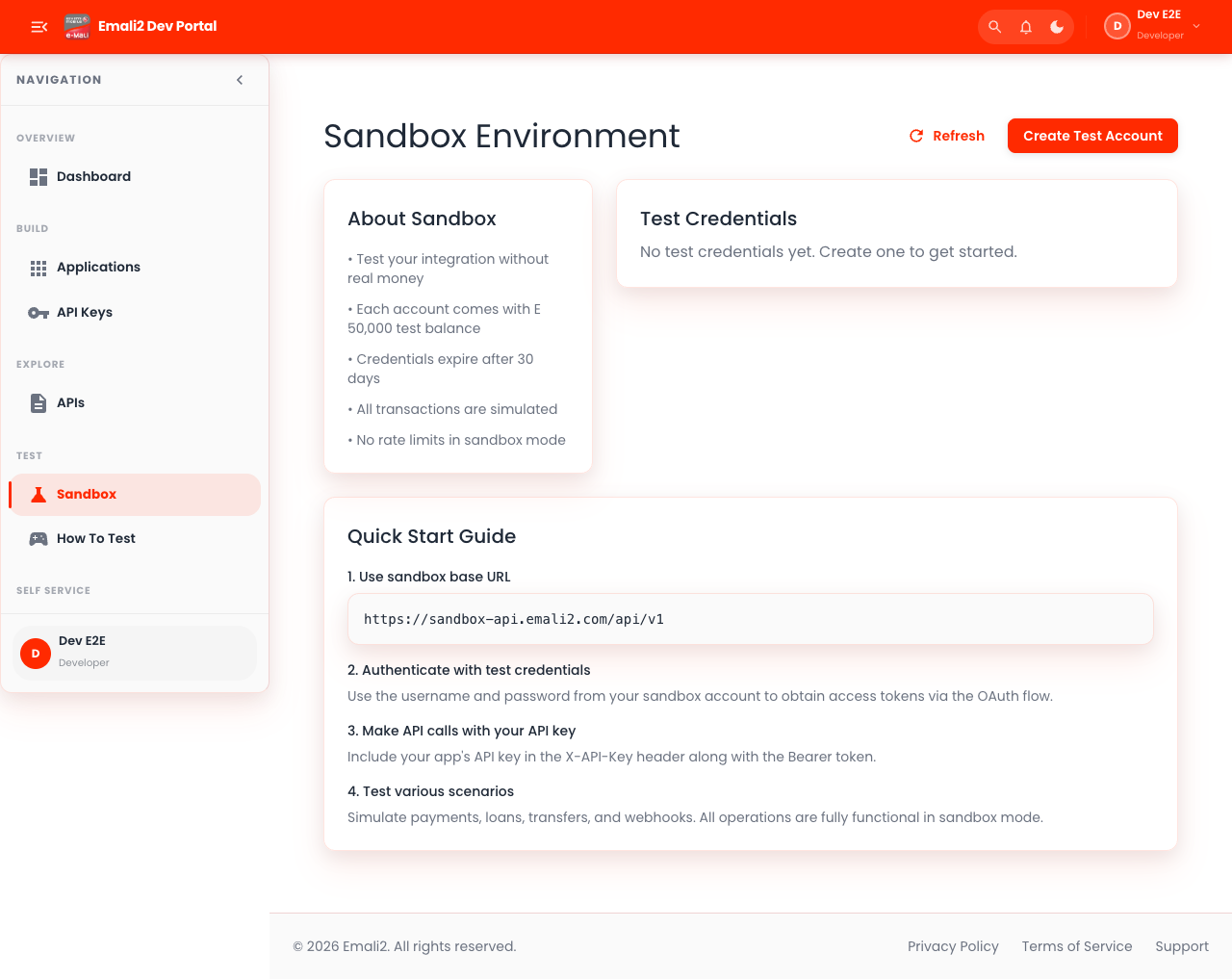
- Page URL:
/app/sandbox - Who this page is for: Developer partner teams and integration engineers
- What this page is for: Set up and test sandbox credentials.
- Navigation behavior: Opens directly on
/app/sandbox.
What You Can Do Here
- Review summary cards, status chips, and alerts at the top of the page.
- Use filters, search fields, and quick actions to locate the right records.
- Use on-page actions to complete your task and verify the resulting state.
Current Behavior Notes
- Validation status: OK
- Observed note: Page loads with expected primary UI components in the test environment.
6. Docs
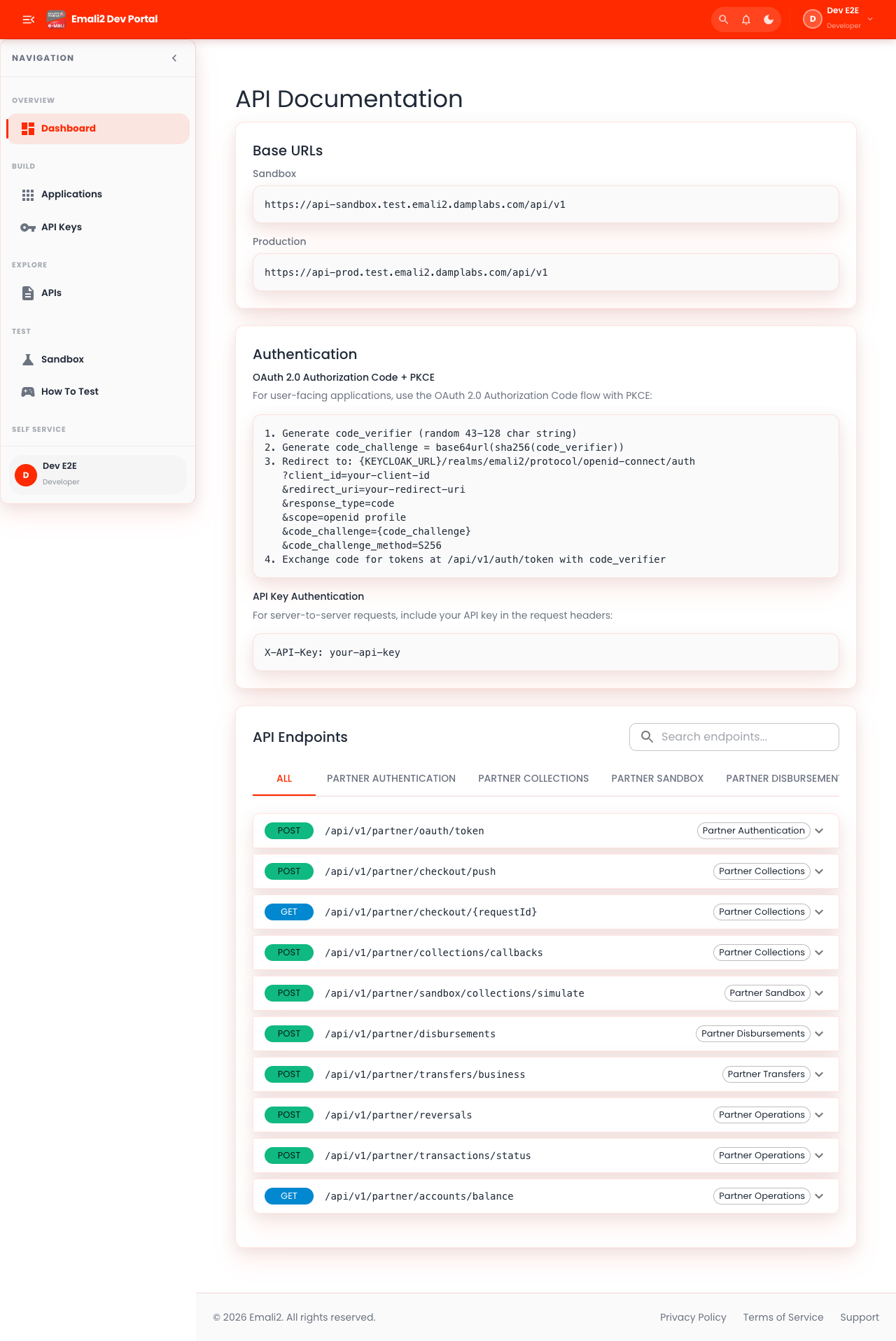
- Page URL:
/app/docs - Who this page is for: Developer partner teams and integration engineers
- What this page is for: Access API documentation and references.
- Navigation behavior: Opens directly on
/app/docs.
What You Can Do Here
- Review summary cards, status chips, and alerts at the top of the page.
- Use filters, search fields, and quick actions to locate the right records.
- Use on-page actions to complete your task and verify the resulting state.
Current Behavior Notes
- Validation status: OK
- Observed note: Page loads with expected primary UI components in the test environment.
7. How to Test
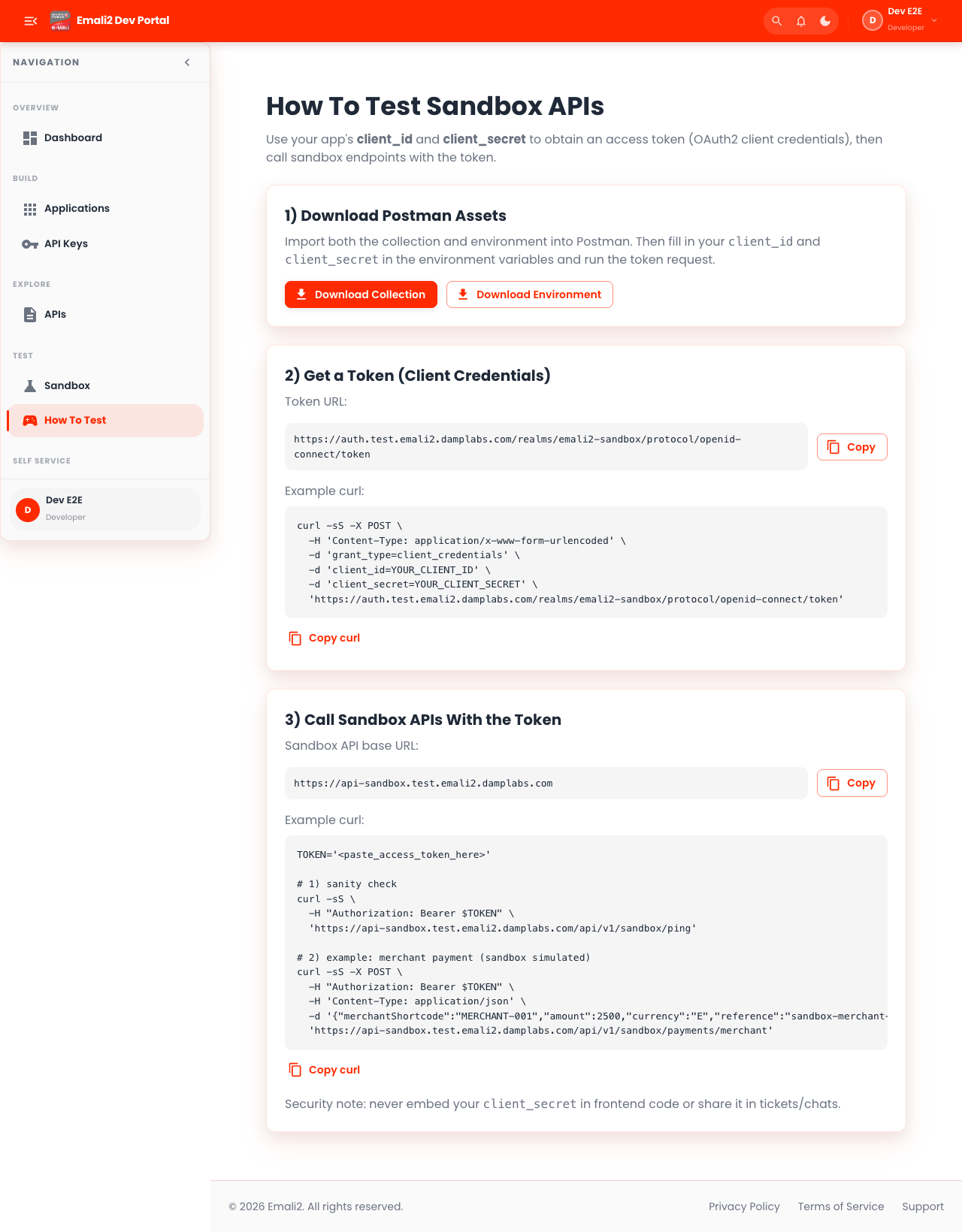
- Page URL:
/app/how-to-test - Who this page is for: Developer partner teams and integration engineers
- What this page is for: Follow integration testing procedures.
- Navigation behavior: Opens directly on
/app/how-to-test.
What You Can Do Here
- Review summary cards, status chips, and alerts at the top of the page.
- Use filters, search fields, and quick actions to locate the right records.
- Use on-page actions to complete your task and verify the resulting state.
Current Behavior Notes
- Validation status: OK
- Observed note: Page loads with expected primary UI components in the test environment.
8. Webhooks
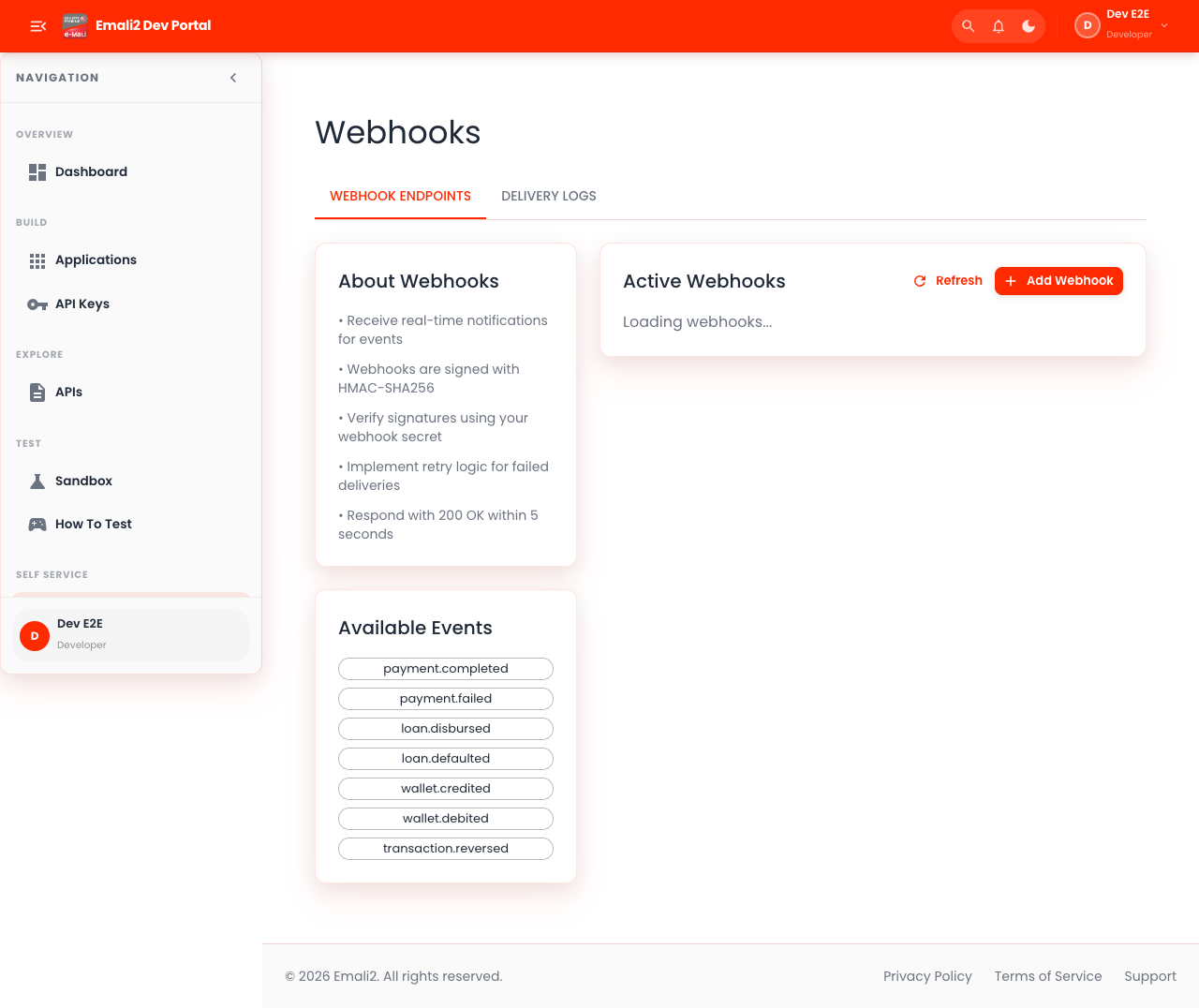
- Page URL:
/app/webhooks - Who this page is for: Developer partner teams and integration engineers
- What this page is for: Manage webhook endpoints and webhook secrets.
- Navigation behavior: Opens directly on
/app/webhooks.
What You Can Do Here
- Review summary cards, status chips, and alerts at the top of the page.
- Use filters, search fields, and quick actions to locate the right records.
- Use on-page actions to complete your task and verify the resulting state.
Current Behavior Notes
- Validation status: OK
- Observed note: Page loads with expected primary UI components in the test environment.
9. Usage
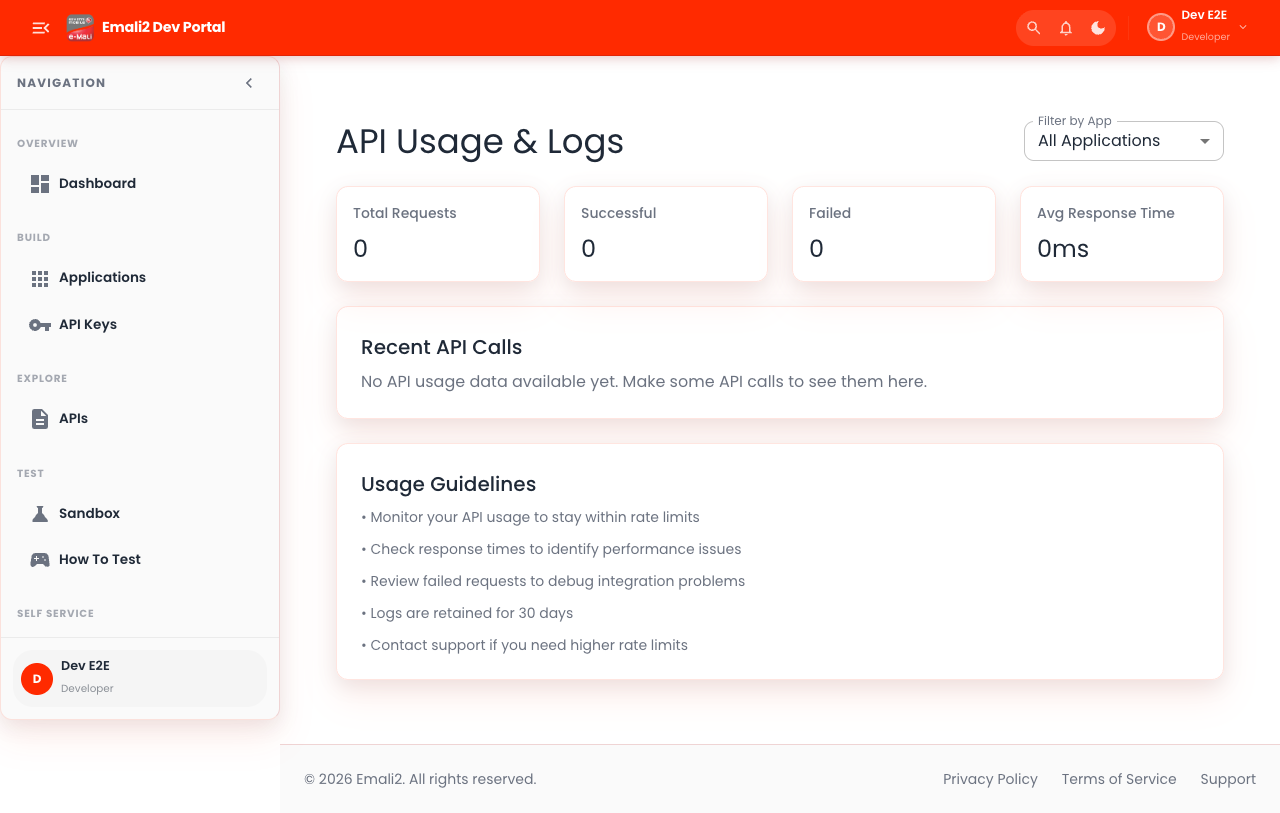
- Page URL:
/app/usage - Who this page is for: Developer partner teams and integration engineers
- What this page is for: Monitor API traffic and usage trends.
- Navigation behavior: Opens directly on
/app/usage.
What You Can Do Here
- Review summary cards, status chips, and alerts at the top of the page.
- Use filters, search fields, and quick actions to locate the right records.
- Use on-page actions to complete your task and verify the resulting state.
Current Behavior Notes
- Validation status: OK
- Observed note: Page loads with expected primary UI components in the test environment.
10. FAQ
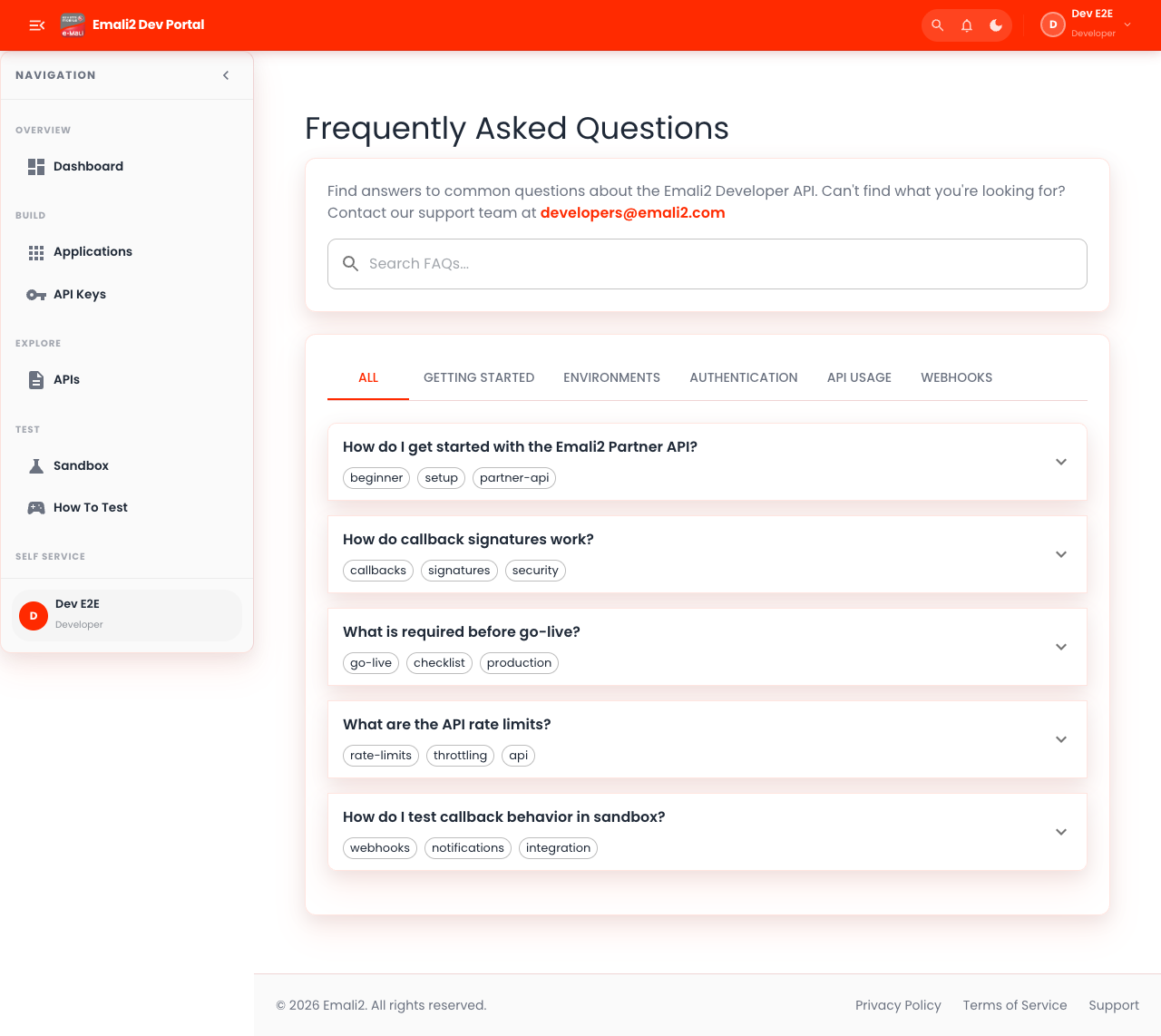
- Page URL:
/app/faq - Who this page is for: Developer partner teams and integration engineers
- What this page is for: Access developer FAQ and setup guidance.
- Navigation behavior: Opens directly on
/app/faq.
What You Can Do Here
- Review summary cards, status chips, and alerts at the top of the page.
- Use filters, search fields, and quick actions to locate the right records.
- Use on-page actions to complete your task and verify the resulting state.
Current Behavior Notes
- Validation status: OK
- Observed note: Page loads with expected primary UI components in the test environment.
11. Security - 2FA
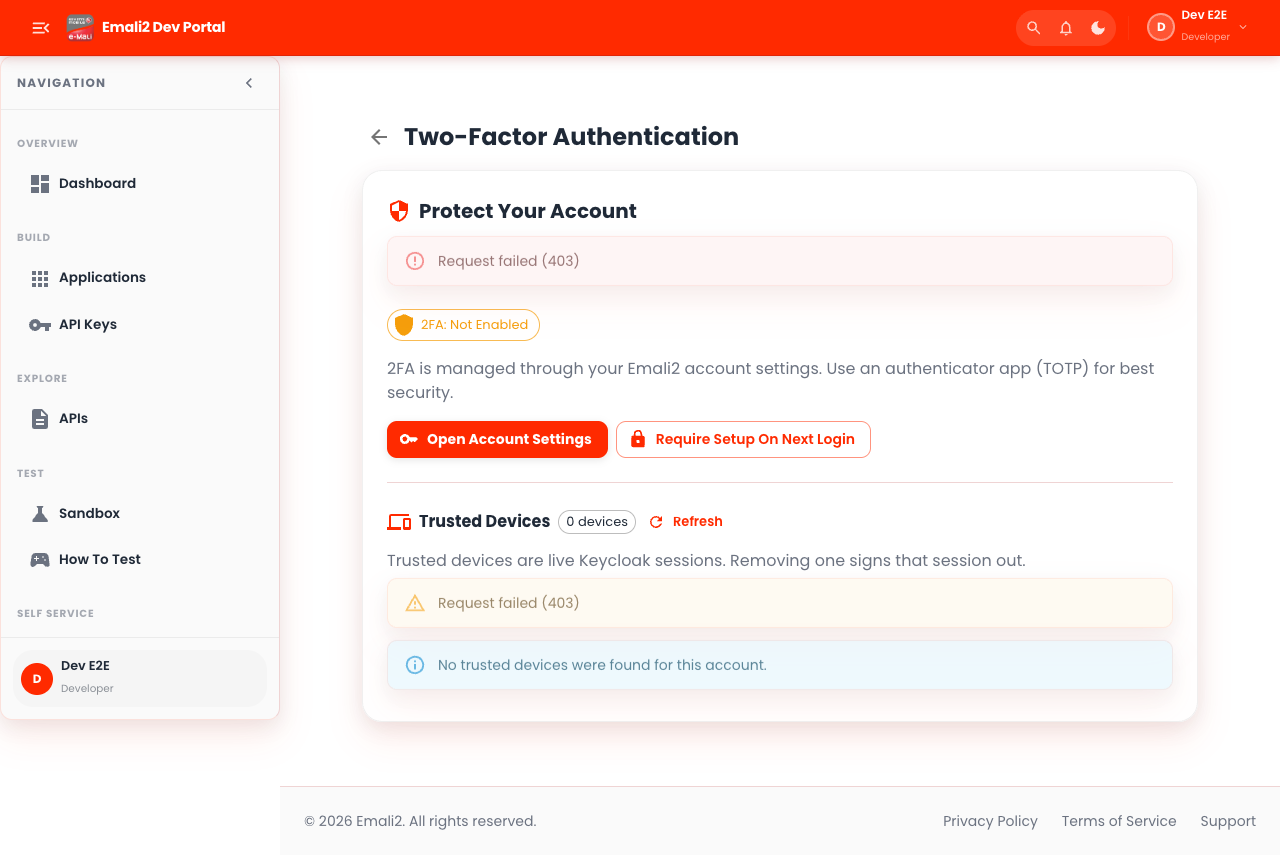
- Page URL:
/app/security/2fa - Who this page is for: Developer partner teams and integration engineers
- What this page is for: Manage two-factor authentication and trusted devices.
- Navigation behavior: Opens directly on
/app/security/2fa.
What You Can Do Here
- Review summary cards, status chips, and alerts at the top of the page.
- Use filters, search fields, and quick actions to locate the right records.
- Use on-page actions to complete your task and verify the resulting state.
Current Behavior Notes
- Validation status: Needs Attention
- Observed note: Error keywords were visible on the page and should be reviewed. Console errors observed: 2