Customer Mobile App Guide
This guide documents the full native customer experience in com.emali2.superapp as it exists today for the customer build. It is based on the current Android route tree, the Compose screen inventory, and Samsung S23 captures taken on April 10, 2026.
Evidence Baseline
- Native package:
com.emali2.superapp - Device used for screenshots: Samsung S23
- Capture date:
2026-04-10 - Primary source files:
emali2-mobile-native/androidApp/src/main/java/com/emali2/superapp/MainActivity.ktemali2-mobile-native/androidApp/src/main/java/com/emali2/superapp/ui/screens/AppShell.ktemali2-mobile-native/androidApp/src/main/java/com/emali2/superapp/ui/screens/CustomerLoginScreens.ktemali2-mobile-native/androidApp/src/main/java/com/emali2/superapp/ui/screens/RegistrationScreens.ktemali2-mobile-native/androidApp/src/main/java/com/emali2/superapp/ui/screens/CustomerServicesScreens.ktemali2-mobile-native/androidApp/src/main/java/com/emali2/superapp/ui/screens/ProfileScreen.kt
What This Guide Covers
- Every signed-out screen the customer can reach from the native app.
- Every authenticated customer tab, dialog, and service module.
- Every currently exposed customer feature, including wallet actions, payment flows, service modules, security controls, and support links.
- How the app behaves when privacy mode, remembered-device unlock, or mobile-web-login approvals are active.
Read In This Order
- Customer Mobile Capability Matrix
- Customer Mobile App Screen-by-Screen Guide
- Customer Mobile App Task Workflows
- Customer Portal Guide
- Customer Passkeys and Sign-In
App Structure
The customer mobile app has two broad states:
- Signed out or pre-authentication:
- remembered-device unlock
- remembered-device password re-auth
- first-time login
- customer registration
- organization registration
- language selection
- Signed in:
HomePayWalletsActivityProfileServicesas a feature hub launched fromHomeand service links insideWallets
Authentication And Entry States
The app does not have a single fixed login screen. Entry depends on device state.
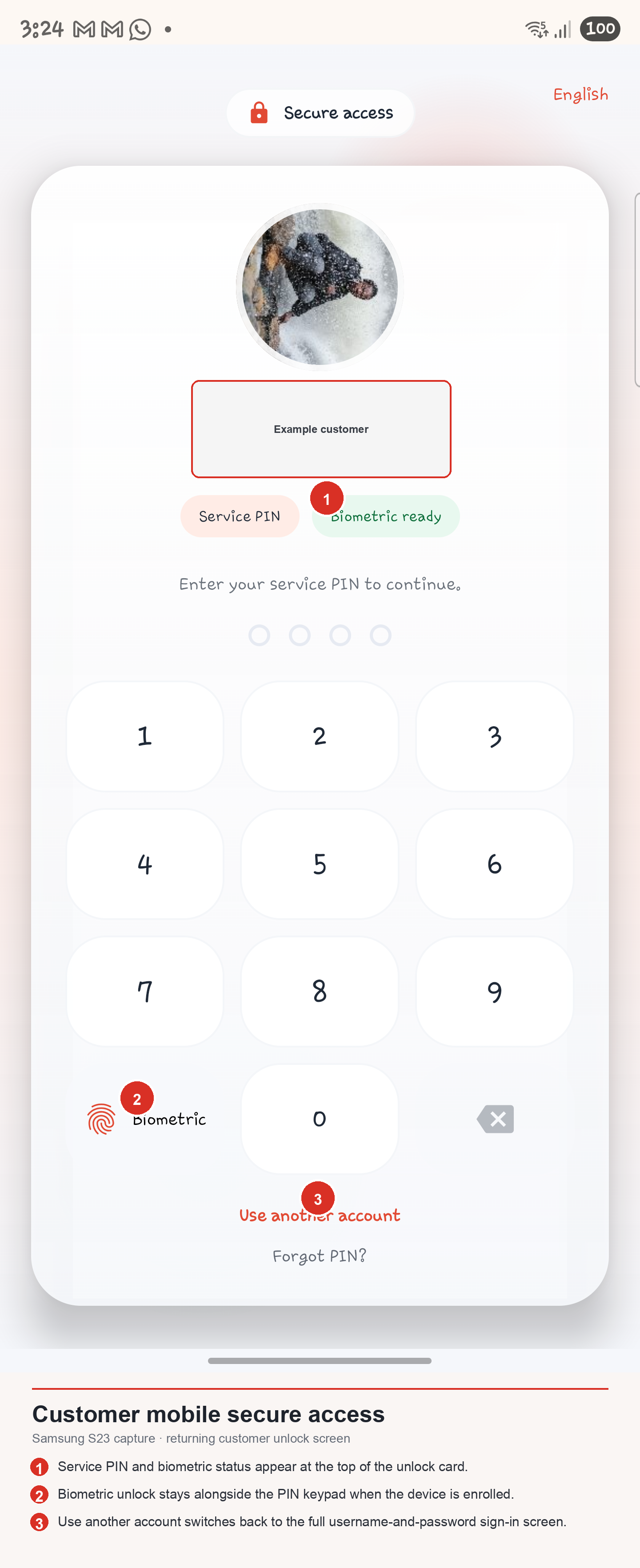
Secure access- default for remembered customers on the same phone
- unlocks with Service PIN
- can use biometrics when enabled and available
- includes
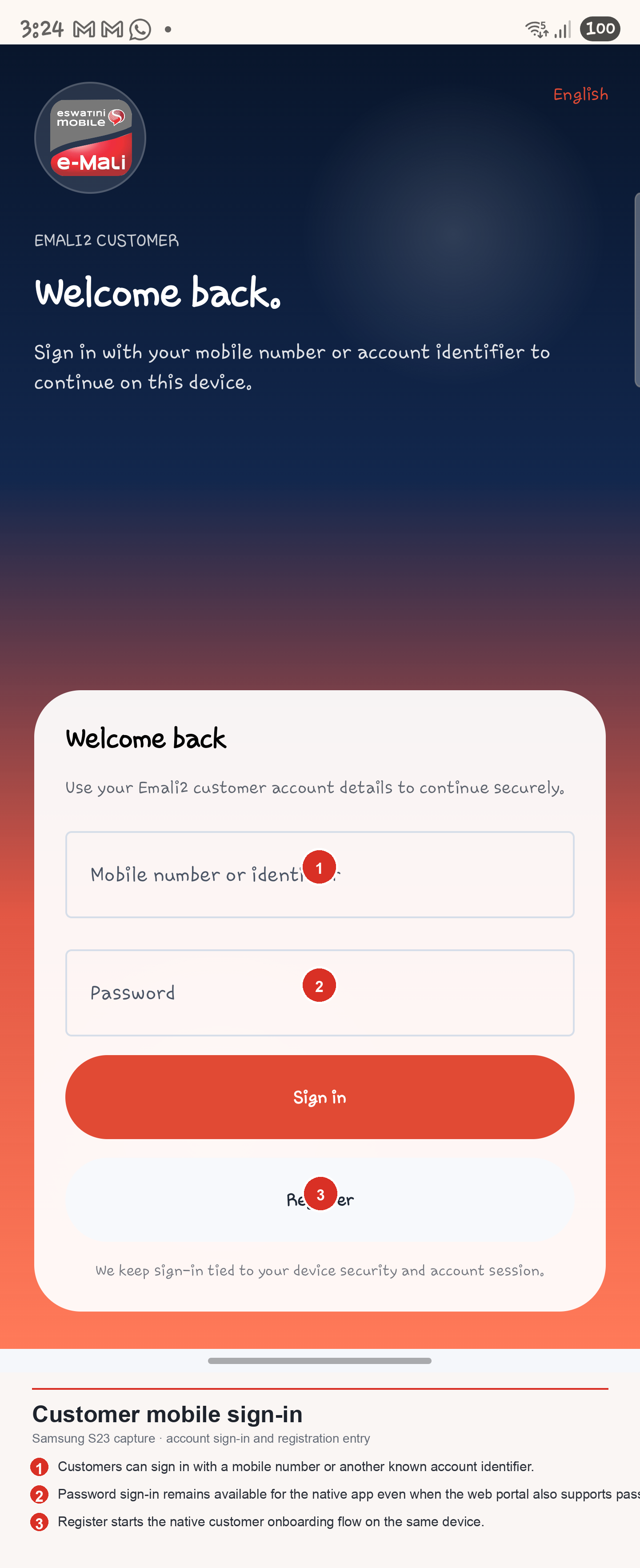
Use another accountandForgot PIN? Welcome back- the first-time or switched-account sign-in screen
- accepts mobile number or another account identifier plus password
- includes
Register Remembered account re-auth- asks for the remembered account password again when a full login is required
- Registration
- choose
CustomerorOrganization - complete the relevant onboarding form
- land on a registration submitted confirmation page
Navigation Model
The authenticated shell uses bottom navigation plus contextual launchers.
- Bottom navigation tabs:
HomePayWalletsActivityProfileServicesis not a permanent bottom-nav tab in the customer app.- it is launched from the
Servicesquick action onHome - it is also linked from wallet feature cards
- The
Morequick action onHomeopens a cross-tab shortcut dialog. - Many subflows open as stacked pages or modal dialogs without leaving the shell.
Global Surfaces
These capabilities appear across multiple parts of the app:
- Language picker on signed-out screens for English and siSwati.
- Guided-tour overlays for
Home,Pay,Wallets,Activity, andProfile. - Notification sheet with category filters, unread counts,
Mark all read, andClear all. - Privacy mode that hides balances, analytics, and activity details until balances are shown.
- QR entry points:
QR PayfromHomeScan QRfromPay- QR scan for customer-portal mobile web login approval from
Profile - Sensitive-action approval wrapper for high-risk profile actions such as web-login approval.
Major Product Areas
Home
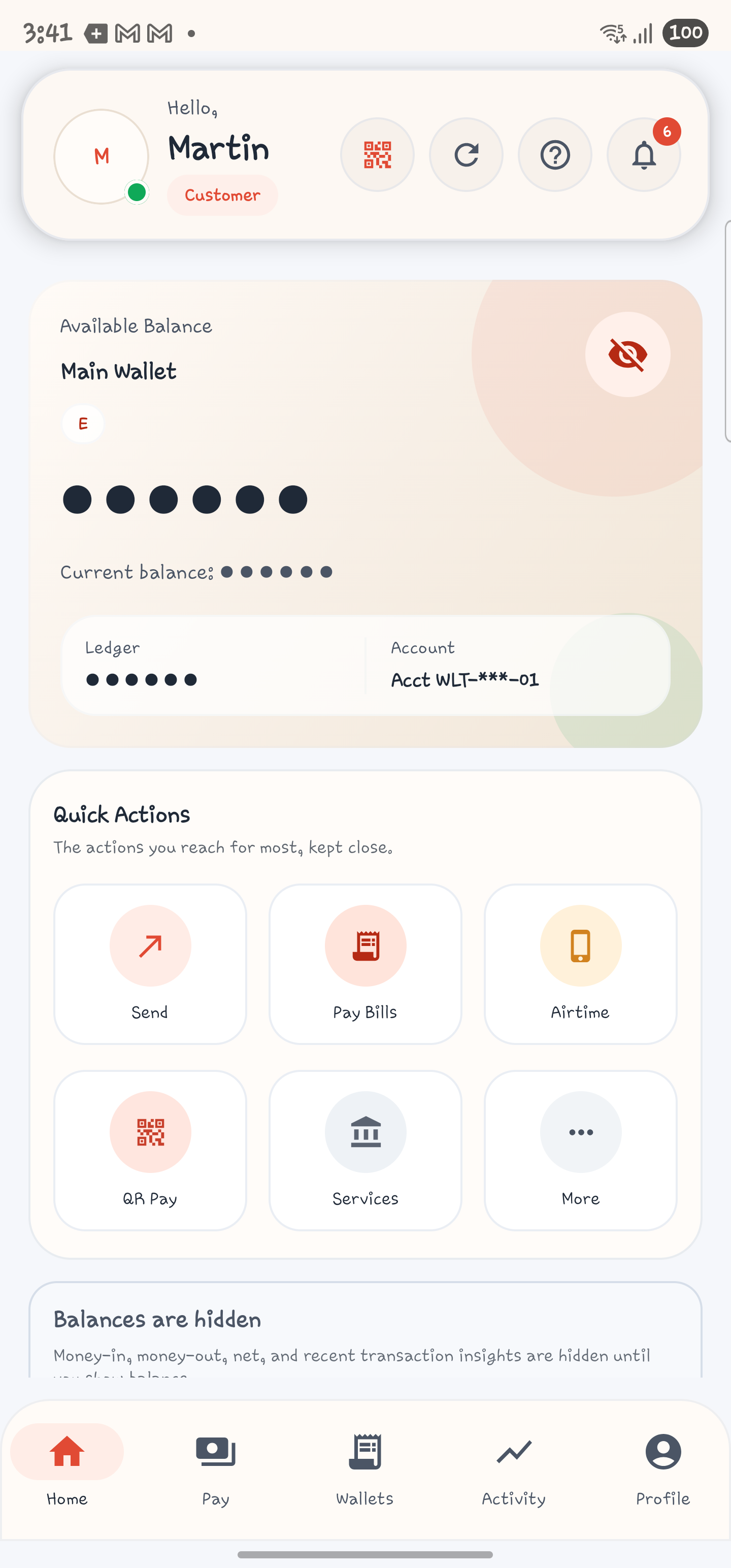
Home is the operational dashboard. It contains:
- greeting header with avatar
- QR Pay shortcut
- refresh action
- help/guide trigger
- notifications trigger
- balance hero card
- wallet context
- quick actions
- privacy-mode states
- insights, favorites, obligations, and offers when balances are visible
Pay
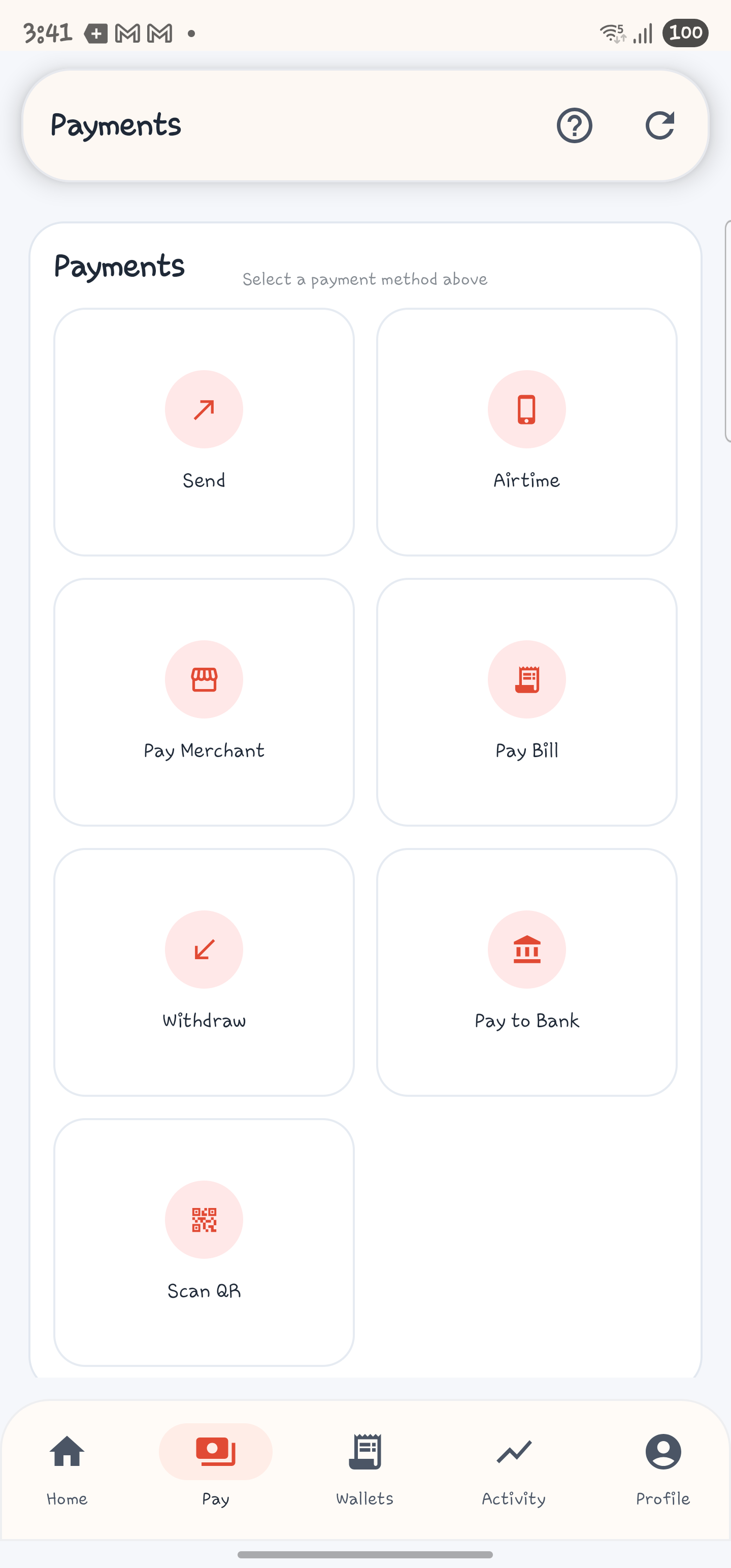
Pay is the payment launcher. It branches into:
- Send Money
- Send To Many
- Pay Bill
- Pay Merchant
- Buy Airtime, Data, and No Frills bundles
- Agent Withdraw
- Mobile To Bank
- Scan QR
Wallets
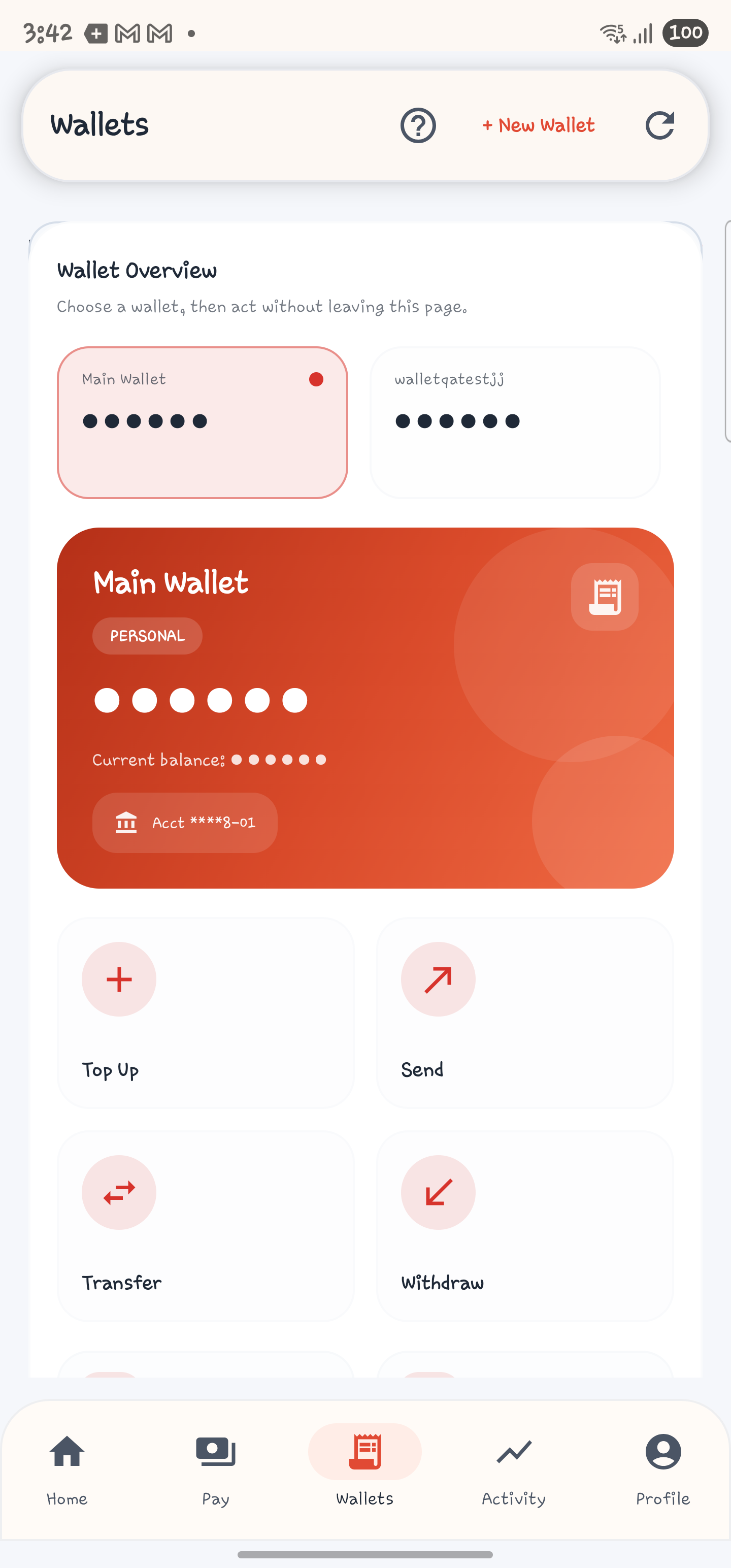
Wallets is the balance and wallet-management workspace. It includes:
- wallet selector
- hero balance card
- top up
- send
- transfer between wallets
- withdraw
- create wallet
- rename wallet
- recent activity and wallet-linked feature shortcuts
Activity
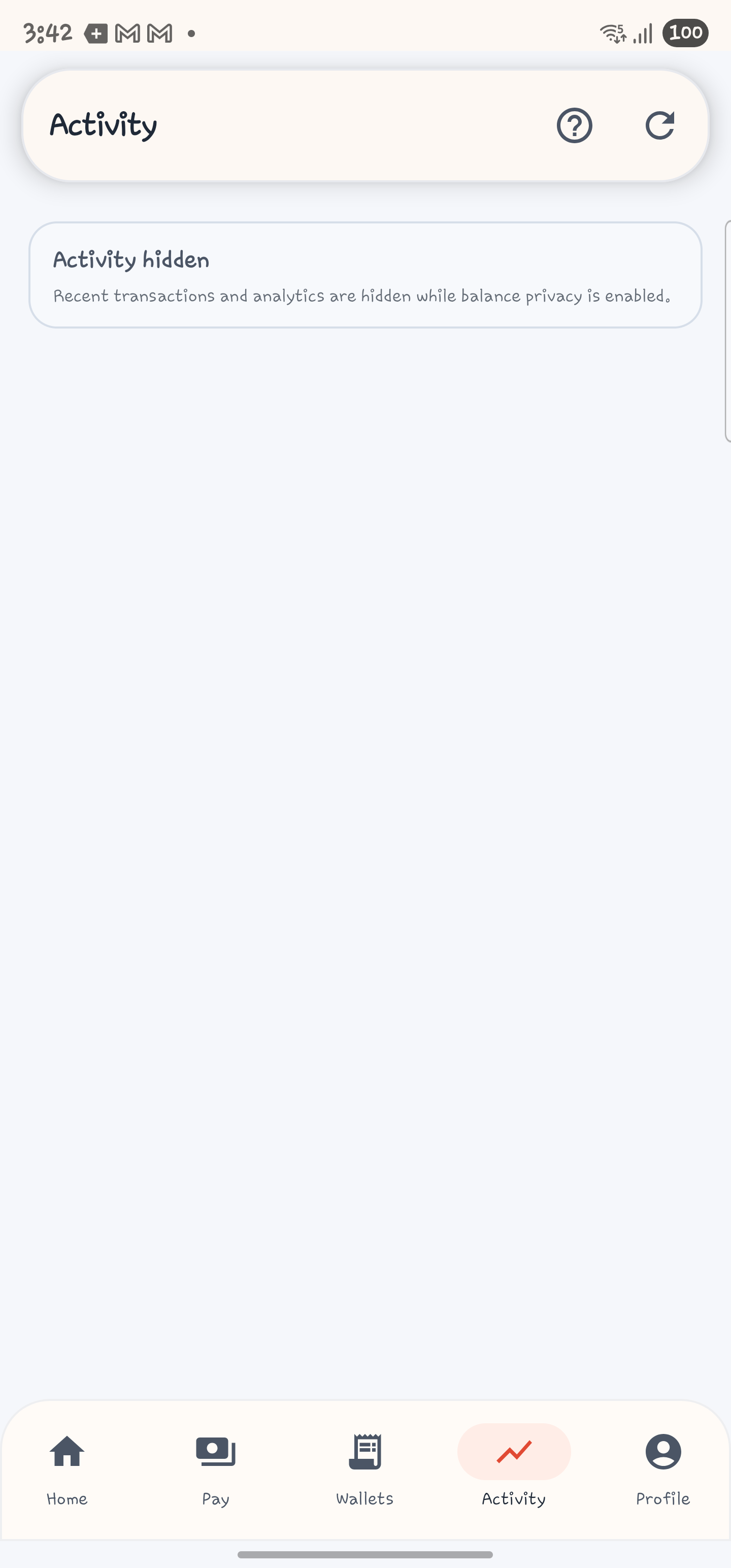
Activity is the transaction history and analytics workspace. When privacy mode is still enabled, the screen shows a hidden-state message instead of detailed analytics. When balances are visible, the screen exposes:
- income, expense, and net-flow metrics
- search
- date filters
- type filters
- history list
- transaction receipt and reversal actions
Services
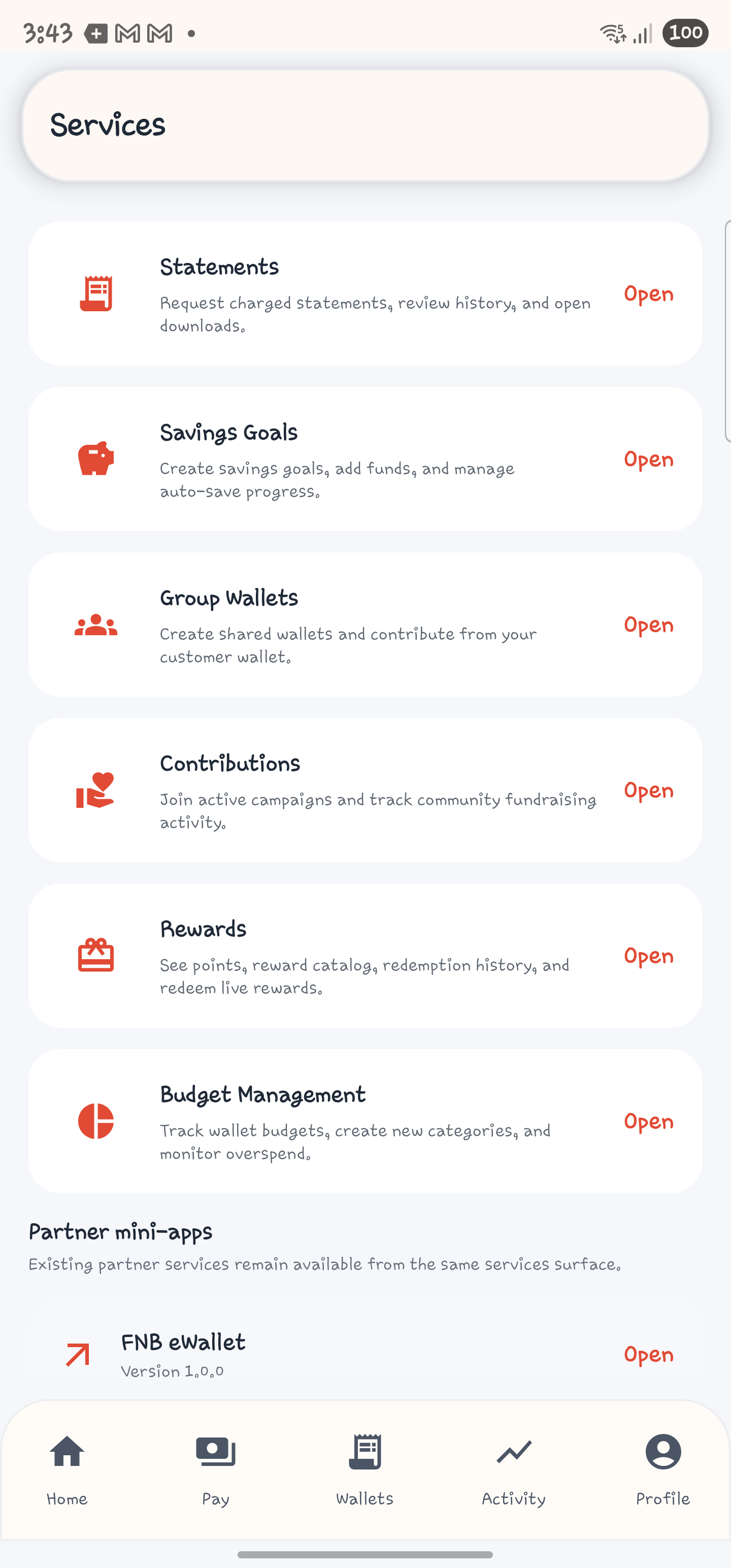
Services is the first-party feature hub plus partner mini-app launcher. It currently exposes:
- Statements
- Savings Goals
- Group Wallets
- Contributions
- Rewards
- Budget Management
- partner mini-apps
Profile
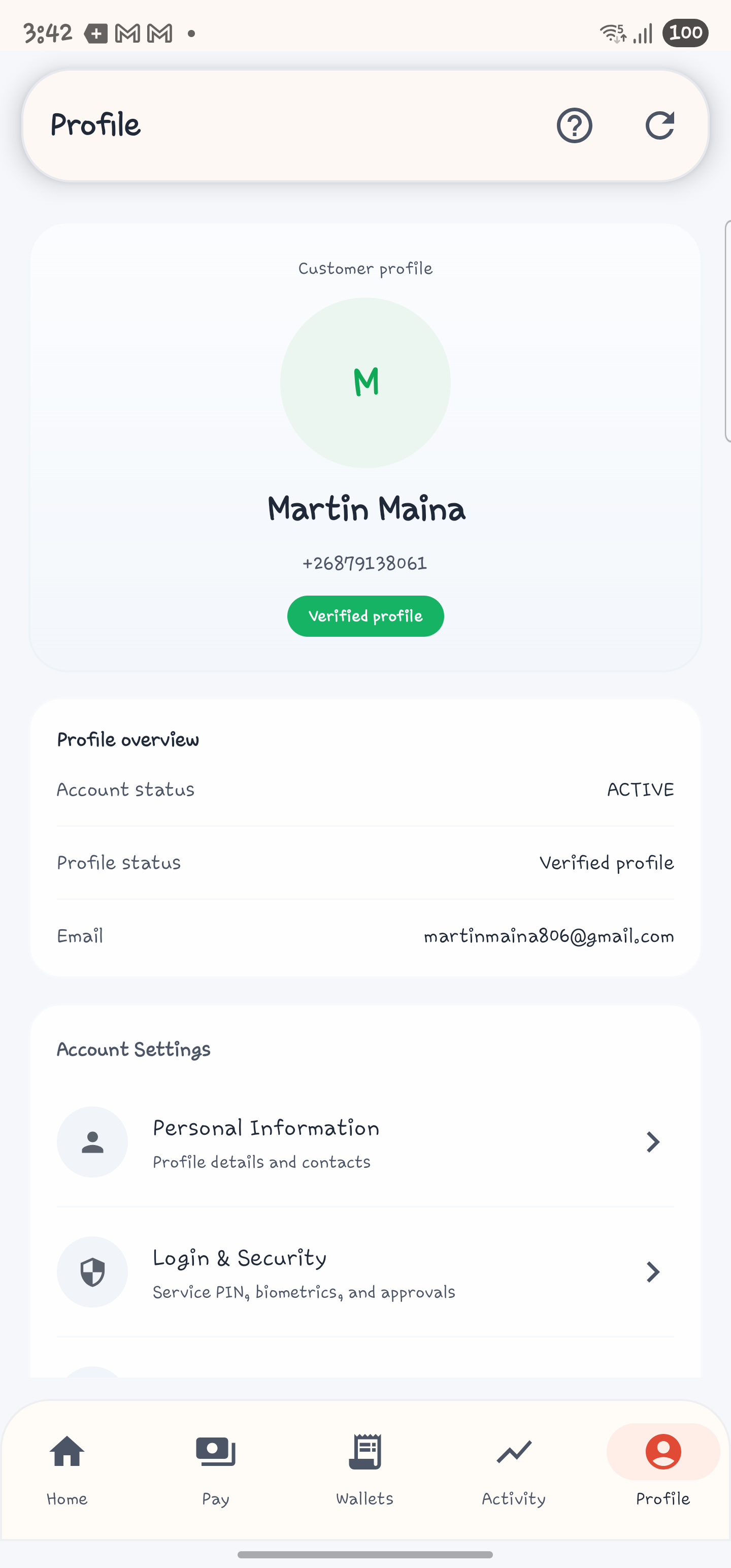
Profile is the account management and support hub. It includes:
- Personal Information
- Login & Security
- KYC Documents
- notification preferences
- language and region
- appearance
- connected devices
- help center
- terms and privacy
- sign out
Security Model In The App
The customer app currently supports several distinct security controls:
- Service PIN for remembered-device unlock and protected service actions
- biometric unlock for remembered devices
- TOTP status visibility and enforcement controls
- 6-digit transaction PIN enrollment
- customer-portal mobile-only web-login mode controls
- QR-based customer-portal mobile web-login approval and denial
- connected-device review and revocation
- password-based sign-in fallback
These mobile controls are separate from browser passkeys. Browser passkeys are documented in Customer Passkeys and Sign-In.
Service Modules At A Glance
Statements: request charged statements and open recent downloads.Savings Goals: create goals, add funds, and inspect savings history.Group Wallets: accept or decline invitations, create wallets, contribute, and manage invitations if you are an admin.Contributions: contribute to campaigns and inspect campaign history.Rewards: review points, catalog items, and redemption history.Budget Management: create, edit, activate, deactivate, and delete budgets.
For the complete screen inventory, use Customer Mobile App Screen-by-Screen Guide. For the end-to-end user steps, use Customer Mobile App Task Workflows.